
Included in Pro

Boss Alarm for Slack.

Stop watching Slack all day. If one of your selected bosses writes during your alert window, Idle Pilot calls your phone.

Included in Pro. No credit card for the 7-day trial.

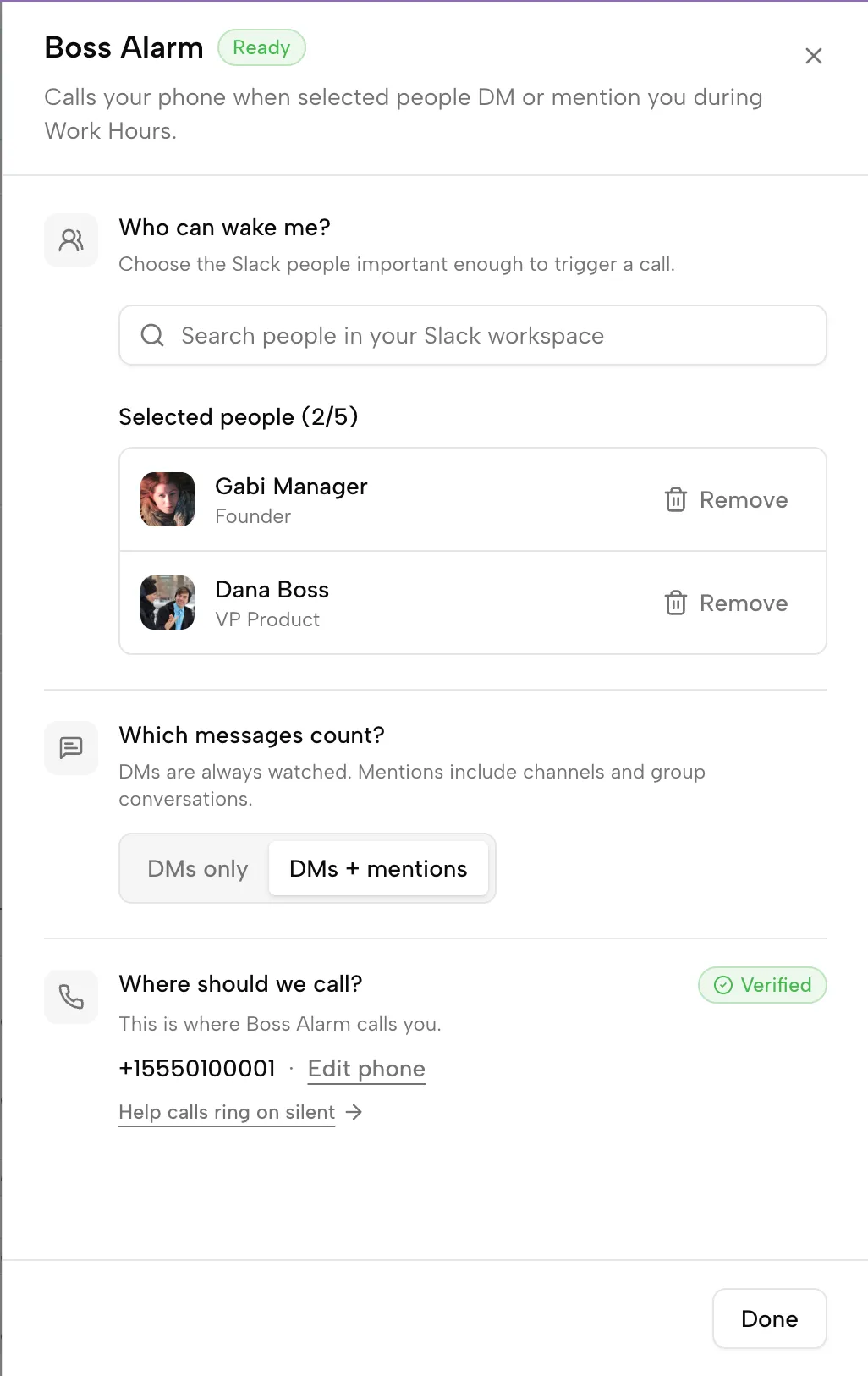
Boss Alarm settings showing selected people who can trigger calls.
What it does

The right people can break through.

Boss Alarm turns selected Slack messages from selected people into phone-call alerts, only during the days and windows you configure.

You leave Slack alone.
Normal messages stay normal.
Selected people can break through.
The call is an alert, not a conversation.

Set the rules once.

Boss Alarm is an add-on to Work Hours, not a global alarm that rings whenever Slack makes noise.

1

Set Work Hours

Boss Alarm only runs inside the Work Hours schedule you already use for Slack presence.

2

Turn on Boss Alarm for selected days

Keep it active on the days where you want calls. Leave it off when you do not.

3

Pick up to 5 bosses

Choose the people who are actually allowed to interrupt you.

4

Choose the trigger mode

Use DMs only, or DMs plus mentions if you want a wider net.

5

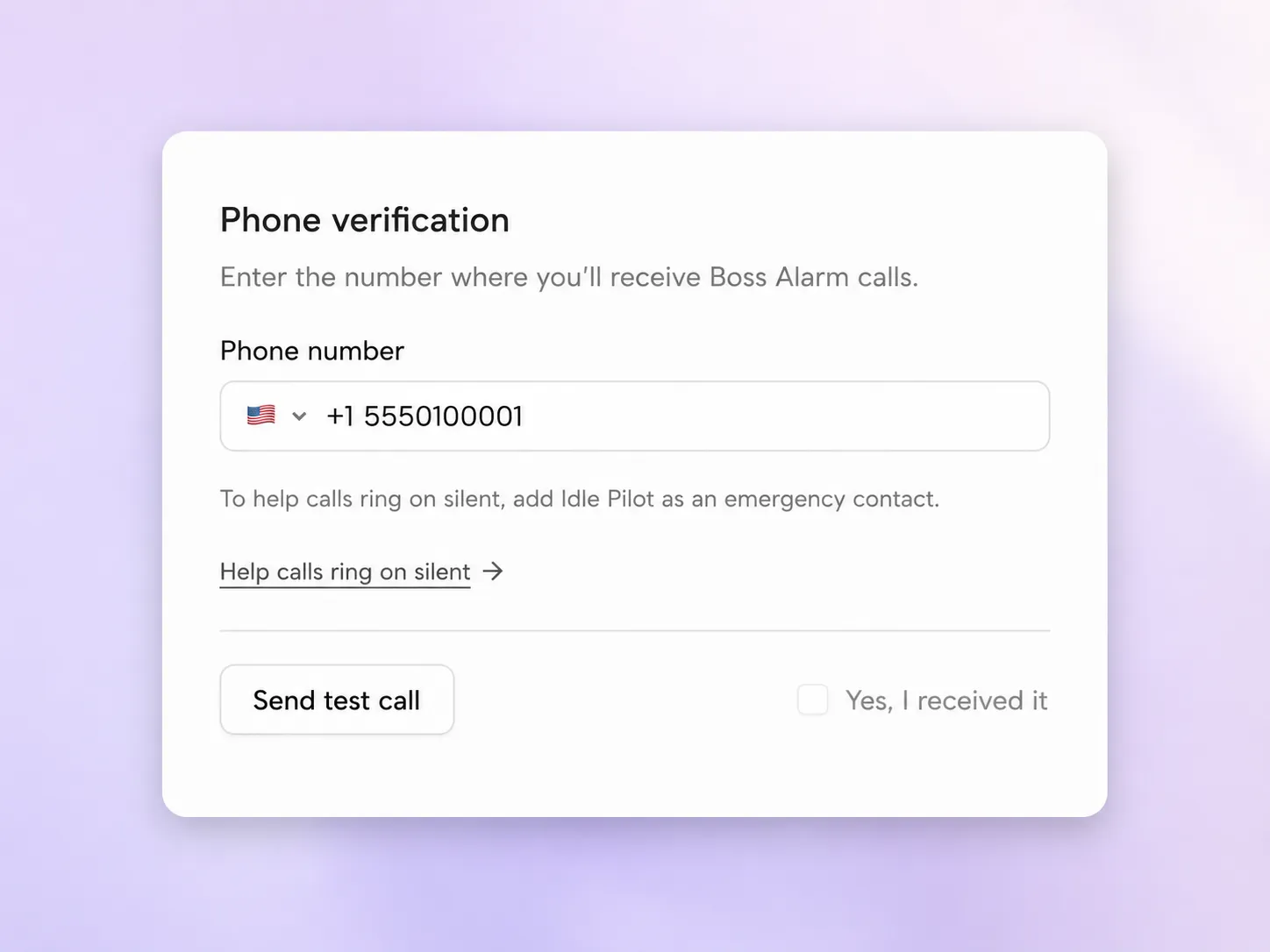
Verify your phone

Confirm your number with a test call before relying on Boss Alarm.

Phone verification screen for Boss Alarm test calls.

It calls only when your rules match.

The point is not more notifications. The point is fewer notifications that actually matter.

Boss Alarm can call when

  • Boss Alarm is active today.
  • You are inside Work Hours.
  • You are inside the Boss Alarm window.
  • You are not in Lunch Break.
  • The sender is on your boss list.
  • The message matches your trigger mode.
  • Your phone is verified.
  • You have Pro or an active Pro trial.

Boss Alarm does not call when

  • Boss Alarm is off for the day.
  • You are outside Work Hours.
  • You are in Lunch Break.
  • The person is not on your boss list.
  • The message does not match your trigger mode.
  • Your phone is not verified.
  • Pro access is not active.

Boss Alarm is included in Pro.

Freedom Pass keeps you green. Pro keeps you green and lets the right people wake you up.

Core

Freedom Pass

For people who just need the green dot handled during the hours they choose.

$9 /month

Billed monthly. Cancel anytime.

  • Stay green during Work Hours
  • Per-day schedules
  • Lunch Break
  • Vacation Mode
  • Instant off
Start Freedom Pass trial

7-day free trial · No credit card

Most Popular

Recommended

Pro

For people who want to leave Slack alone and still know when the right person writes.

$27 /month

Billed monthly. Cancel anytime.

  • Everything in Freedom Pass
  • Included in Pro: Boss Alarm
  • Up to 5 bosses
  • DMs only or DMs + mentions
  • Boss Alarm windows inside Work Hours
  • Phone verification with a test call
Start my Pro trial

7-day free trial · No credit card

Boss Alarm FAQ

The boring questions matter. Here are the rules before you try it.

Is Boss Alarm included in the trial?

Yes. The 7-day trial includes full Pro access, including Boss Alarm setup, phone verification, and test calls.

Can I choose who counts as a boss?

Yes. You choose up to 5 people who are allowed to trigger Boss Alarm.

Can I use DMs only?

Yes. Trigger mode can be DMs only, or DMs plus mentions.

Can Boss Alarm call during lunch?

No. If you are in Lunch Break, Boss Alarm stays paused.

What happens if I downgrade to Freedom Pass?

Boss Alarm stops placing calls, but your bosses, trigger mode, phone verification, and alert windows stay saved.

Is the call a conversation?

No. The call is just an alert telling you that someone important is writing on Slack.

Do I need to keep Slack open?

No. Idle Pilot runs from the cloud after setup. Your laptop does not need to stay open for Boss Alarm or Work Hours.

Leave Slack alone. Keep the emergency line.

Try Pro for 7 days and test the full Boss Alarm loop before paying.

Start my free trial