
 Microsoft Teams Away status
 The device sleeps or locks
The client can stop reporting activity when the device changes power or lock state.
Microsoft Teams Away status
Teams shows Away when your computer is idle, locked, or asleep, or when the mobile app is in the background. Calls and calendar state also affect presence. Microsoft does not give one timer for every environment, and Available has no status-duration setting. Correct a wrong status in Teams first; for work hours with the laptop off, compare the cloud schedule below.
One-time setup in desktop Chrome with the Idle Pilot extension. You can remove the extension after linking Teams.
3-day free trial · No credit card
7 days if you connect within 3 hours of sign-up
Idle Pilot costs $9 per month or $60 per year. The trial starts when you connect Teams.
There is no universal five-minute rule for every client and session. Microsoft documents the idle, lock, sleep, and mobile background triggers. If the dot stays wrong while you are actively working, check the connected session and ask IT to check the account state.
See how to keep Teams active for the full methods comparison. Source: Microsoft status settings, checked October 4, 2026.
Presence follows the active session, not a simple promise that you are at work.
The client can stop reporting activity when the device changes power or lock state.
A closed tab, disconnected app, or interrupted network can affect the session.
Calls, meetings, calendars, and organization settings can influence what coworkers see.
Local workarounds
Select Available to correct a wrong dot. For Teams for Web, the Presence setting can allow detection of real activity outside the Teams tab. Available cannot have a set duration. Power settings must follow company policy, and none of these local fixes keeps a powered-off computer active.
Compare mouse-jiggler alternatives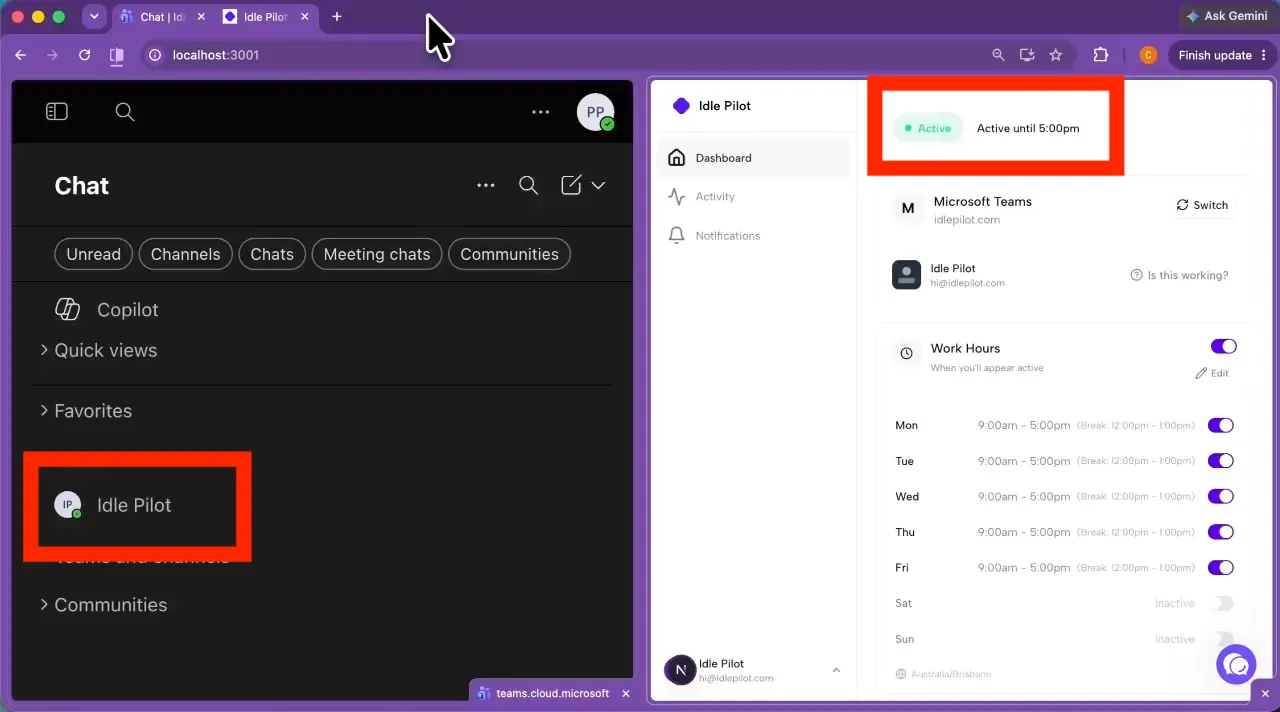
Schedule-based solution
Connect Microsoft Teams, choose each day's hours and breaks, and let Idle Pilot maintain availability from the cloud during that schedule.
3-day free trial · No credit card
Want the complete setup? Read how to keep Microsoft Teams status green.
Teams presence can change when the active client no longer reports interaction or when your device, app, call, calendar, or organization state affects availability. The exact behavior can vary by environment.
No single five-minute rule applies to every Teams setup. Searchers often describe a five-minute change, but actual presence behavior can vary with the client, device state, meetings, calendar, and organization settings.
Idle Pilot can keep Teams Available from the cloud during the Work Hours you choose. That removes the dependency on continuous keyboard or mouse activity from your laptop.
A mouse jiggler may keep a local device awake, but it still depends on that device, its network, and the Teams client. See the mouse-jiggler alternatives comparison.
With Idle Pilot, yes. The schedule runs from the cloud, so the laptop can be closed, asleep, offline, or off during the Work Hours you configured.
Read the complete guide to keeping Microsoft Teams status green for the outcome-focused setup and product details.
Last updated:
3-day free trial · No credit card
Idle Pilot maintains Slack or Microsoft Teams availability from the cloud during saved Work Hours.
